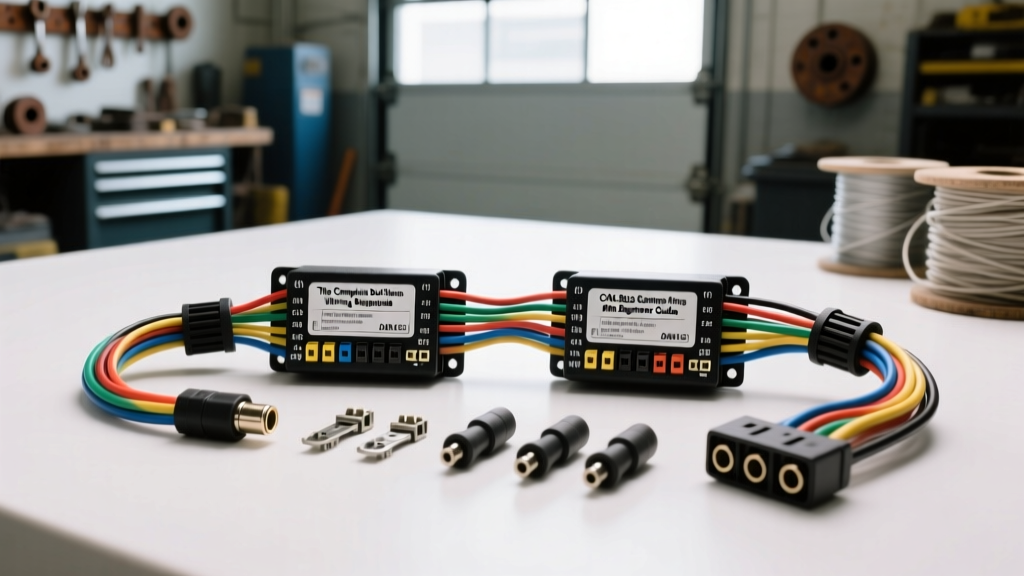
Introduction to the Dual Stereo Wiring Harness
When upgrading your vehicle's audio system, the term dual stereo wiring harness generally refers to one of two things: the specific wiring adapter required for Dual Electronics brand head units, or the harness used to adapt a Double-DIN (Dual-DIN) aftermarket stereo to your factory dash. Regardless of whether you are installing a budget-friendly Dual XDM28BT or a premium Double-DIN multimedia receiver, the fundamental principles of the wiring harness remain identical. The harness acts as the critical bridge between your vehicle's original equipment manufacturer (OEM) electrical system and the aftermarket head unit. Using a dedicated adapter harness ensures you never have to cut, splice, or permanently alter your factory wiring, preserving the vehicle's resale value and preventing catastrophic electrical shorts. In this beginner-friendly guide, we will break down the industry-standard color codes, wire gauge specifications, modern data-bus integrations, and professional connection methods required for a flawless installation.
Decoding the EIA/CEA Standard Wire Color Codes
The Consumer Technology Association (CTA), formerly the Electronic Industries Alliance (EIA), established a universal color-coding standard for aftermarket car audio wiring. Almost all dual stereo wiring harnesses, including those manufactured by Metra, Scosche, and Axxess, adhere strictly to these color codes. Understanding this palette is the first step in matching your aftermarket harness to your vehicle-specific adapter.
| Wire Color | Function | Technical Details & Specifications |
|---|---|---|
| Yellow | 12V Constant Power | Connects directly to the battery or a constant 12V fuse. Maintains memory for clock, presets, and EQ settings when the ignition is off. |
| Red | 12V Switched Power | Receives 12V only when the ignition is in the 'ACC' or 'ON' position. Signals the stereo to turn on and off. |
| Black | Chassis Ground | Must be secured to a clean, unpainted metal surface on the vehicle chassis. Do not rely solely on the factory harness ground if it is insufficient. |
| Blue | Power Antenna | Outputs +12V when the AM/FM radio tuner is active. Drops to 0V when switching to CD, Bluetooth, or Aux. |
| Blue w/ White Stripe | Amplifier Turn-On | Outputs a constant +12V remote signal whenever the head unit is powered on, regardless of the audio source. Essential for triggering external amps. |
| Orange | Illumination | Receives +12V when headlights are turned on, signaling the stereo to dim its display to prevent night-driving glare. |
| White / White-Black | Front Left Speaker (+/-) | Standard low-level audio output. The black stripe always denotes the negative (-) terminal. |
| Gray / Gray-Black | Front Right Speaker (+/-) | Standard low-level audio output for the right front channel. |
| Green / Green-Black | Rear Left Speaker (+/-) | Standard low-level audio output for the left rear channel. |
| Purple / Purple-Black | Rear Right Speaker (+/-) | Standard low-level audio output for the right rear channel. |
Wire Gauge (AWG) and SAE Material Specifications
Not all wiring harnesses are built equally. The American Wire Gauge (AWG) system dictates the current-carrying capacity of the copper strands inside the insulation. For standard dual stereo wiring harnesses, the speaker wires and low-current signal wires are typically 18 AWG. This gauge is perfectly adequate for the 15 to 25 watts RMS per channel output by most internal head unit amplifiers. However, the main power (Yellow) and ground (Black) wires on premium harnesses are often upgraded to 16 AWG or 14 AWG to handle higher current draws and minimize voltage drop.
According to the SAE J1128 Low Tension Primary Cable Standard, automotive wire must utilize specific insulation materials like PVC, cross-linked polyethylene (XLPE), or polyolefin to withstand under-dash temperatures up to 105°C (221°F) and resist abrasion, chemicals, and moisture. When purchasing a harness, avoid ultra-cheap, unbranded kits that use sub-standard, thin-jacketed wire, as these can melt or cause intermittent short circuits behind the dash.
Navigating CAN-BUS and Data Harness Adapters
If you are installing a dual stereo in a modern vehicle (typically 2010 or newer), a simple 12V switched wire may not exist. Modern automobiles utilize Controller Area Network (CAN-BUS) data systems to manage electrical loads. In vehicles from Chrysler, Ford, and GM, the ignition status, chime warnings, and steering wheel controls are broadcast over a digital data network rather than discrete analog wires.
To solve this, your dual stereo wiring harness must be paired with a CAN-BUS data interface module (such as the iDatalink Maestro or Axxess ASWC-1). These modules feature a specialized 3.5mm data patch cable or a proprietary 4-pin data connector that plugs into the back of the aftermarket stereo. The module intercepts the digital CAN-High and CAN-Low signals, translates the 'ignition ON' command, and feeds a simulated 12V switched signal to the Red wire on your harness. Always consult the Crutchfield OutfitMyCar Database to verify if your specific vehicle year, make, and model requires a data-bypass harness before purchasing your installation kit.
Professional Connection Methods: Solder vs. Crimp
How you join the wires on your dual stereo wiring harness to the vehicle adapter will determine the long-term reliability of your audio system. Vibration, temperature fluctuations, and humidity are the enemies of automotive electrical connections.
Method 1: Solder and Adhesive Heat Shrink (Recommended)
This is the gold standard for automotive audio. Solder creates a metallurgical bond that eliminates electrical resistance and prevents oxidation.
- Step 1: Strip exactly 3/8-inch of insulation from both the harness wire and the adapter wire.
- Step 2: Slide a piece of dual-wall, adhesive-lined polyolefin heat shrink tubing onto one of the wires before connecting them.
- Step 3: Twist the exposed copper strands together tightly, apply rosin-core solder, and heat with a 40W soldering iron until the solder flows smoothly into the joint.
- Step 4: Slide the heat shrink over the joint and apply heat. The inner adhesive layer will melt and seal out moisture, while the outer layer shrinks to provide physical strain relief.
Method 2: Nylon Insulated Crimp Connectors (Acceptable)
If soldering is not an option, use high-quality nylon-insulated butt crimps (typically sized for 22-18 AWG, colored red). Use a dedicated ratcheting crimping tool to ensure uniform pressure. Never use pliers, and absolutely avoid 'T-Taps' or 'Scotchlocks', which pierce the wire insulation, introduce moisture directly to the copper strands, and frequently cause broken conductors due to dash vibrations.
Troubleshooting Common Harness Installation Failures
Even with a perfect color-code match, beginners often encounter issues. Use this decision tree to diagnose common dual stereo wiring harness problems.
- Symptom: The stereo loses its clock, radio presets, and Bluetooth pairing every time you turn off the car.
Cause: The Yellow (Constant) and Red (Switched) wires are swapped.
Fix: Verify the vehicle's constant 12V source with a multimeter. In some older Volkswagen and Nissan models, the factory harness swaps the constant and switched pins. You must manually swap the Yellow and Red wires on your aftermarket harness to compensate. - Symptom: External amplifiers and subwoofers turn off when you switch from FM Radio to Bluetooth or a USB drive.
Cause: The amplifier remote turn-on wire was connected to the Blue (Power Antenna) wire instead of the Blue/White Stripe (Amp Turn-On) wire.
Fix: Re-route the amplifier's remote wire to the Blue/White striped wire on the harness, which provides a constant +12V trigger regardless of the audio source. - Symptom: A high-pitched alternator whine that changes pitch with engine RPM is heard through the speakers.
Cause: A ground loop caused by a poor harness ground connection.
Fix: Do not rely on the Black wire plugged into the plastic factory harness. Run a dedicated 12 AWG or 14 AWG ground wire from the Black wire of your dual stereo harness directly to a bare metal bolt on the vehicle's steel chassis, securing it with a crimped ring terminal.
For further technical specifications and model-specific wiring diagrams, always refer to the Dual Electronics Official Support & Wiring Manuals or the documentation provided by your specific harness manufacturer. Taking the time to understand these fundamentals will ensure your dual stereo installation is safe, reliable, and sounds exceptional for years to come.