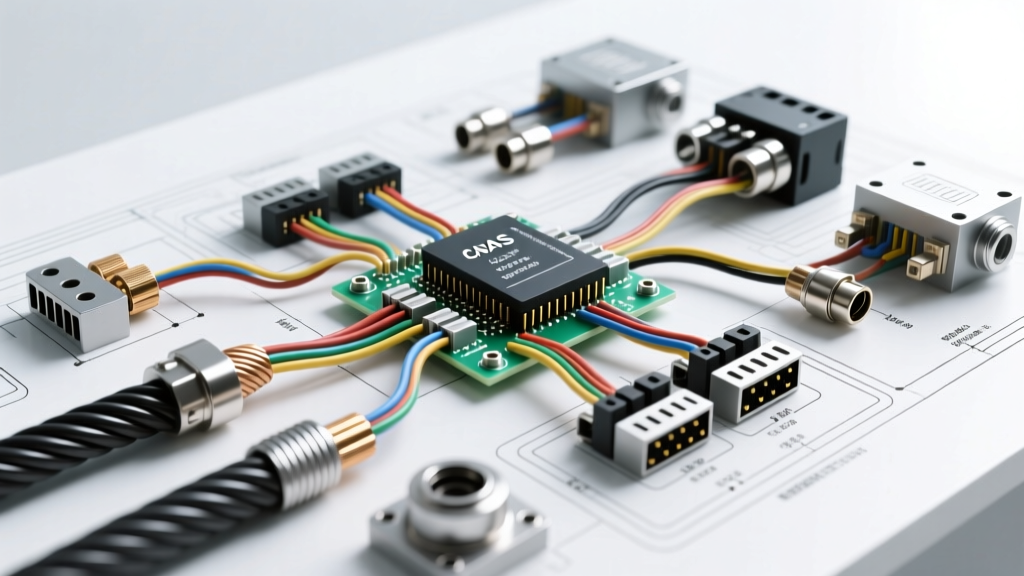
Introduction to Automotive Data Networks
Modern vehicles are essentially rolling data centers, relying on high-speed communication buses to coordinate everything from engine management to Advanced Driver Assistance Systems (ADAS). When replacing forward-facing cameras, radar modules, or telematics gateways, interpreting the wiring diagram network cable schematic is only the first step. Unlike standard 12V power or ground circuits, high-speed data networks demand strict adherence to impedance, twist rates, and electromagnetic shielding. A minor deviation in shield grounding or bend radius can result in catastrophic packet loss, phantom ADAS warnings, or complete module dropout.
This practical installation guide bridges the gap between reading a schematic and physically executing a flawless network cable repair or integration. We will cover the physical layer (PHY) requirements for both Controller Area Network (CAN-C) and Automotive Ethernet (100BASE-T1), providing actionable routing rules, crimping specifications, and real-world troubleshooting insights.
Understanding CAN-C vs. Automotive Ethernet Topologies
Before cutting or stripping any wires, technicians must understand the distinct physical requirements of the two primary network cables found in modern ADAS harnesses:
1. CAN-C (High-Speed Controller Area Network)
Operating at up to 500 kbps, CAN-C is a differential, multi-drop bus. It relies on an Unshielded Twisted Pair (UTP) configuration. Because it is unshielded, it depends entirely on the physical twist of the wires and the vehicle's chassis to reject electromagnetic interference (EMI). The network requires exactly two 120-ohm termination resistors (one at each end of the bus) to prevent signal reflection.
2. Automotive Ethernet (100BASE-T1 / 1000BASE-T1)
Used for high-bandwidth applications like ADAS camera video feeds and LiDAR data, Automotive Ethernet operates at 100 Mbps or 1 Gbps over a single unshielded or shielded twisted pair. Unlike IT Ethernet (which uses 4 pairs), automotive variants use a single Shielded Twisted Pair (STP) with strict impedance requirements (typically 100Ω or 150Ω). Because of the high frequency and Pulse Amplitude Modulation (PAM3) encoding, shield integrity and precise connector mating are non-negotiable.
Cable Specifications & AWG Reference Chart
Using the incorrect wire gauge or substituting standard copper wire for automotive-grade data cable will cause impedance mismatches. Always cross-reference your wiring diagram network cable layout with the following OEM specifications:
| Network Type | Wire Gauge (AWG / mm²) | Cable Construction | Impedance | Connector Type |
|---|---|---|---|---|
| CAN-C (High Speed) | 20 AWG (0.50 mm²) | UTP (Unshielded Twisted Pair) | 120Ω (Nominal) | Deutsch DT / OEM 4-Pin |
| CAN-FD (Flexible Data) | 20 AWG (0.50 mm²) | STP (Shielded Twisted Pair) | 120Ω (Nominal) | TE MATEnet / OEM 6-Pin |
| 100BASE-T1 (Ethernet) | 24 AWG (0.22 mm²) | STP with Drain Wire | 100Ω or 150Ω | Rosenberger H-MTD |
| 1000BASE-T1 (Gigabit) | 22 AWG (0.35 mm²) | Double Shielded STP | 100Ω (Strict) | Amphenol MATEnet / H-MTD |
Step-by-Step Installation & Routing Guide
Executing a network cable repair requires specialized techniques that differ vastly from soldering or crimping standard power wires. Follow these steps to maintain signal integrity.
Step 1: Preserve the Twist Rate and Bend Radius
The twist rate of a network cable is engineered to cancel out common-mode noise. When stripping the outer jacket, never untwist the pair more than 10mm (0.4 inches) for CAN bus or 5mm (0.2 inches) for Automotive Ethernet. Exceeding this limit destroys the Common-Mode Rejection Ratio (CMRR), leading to crosstalk and data corruption. Additionally, maintain a minimum bend radius of 4x the cable's outer diameter (OD). Kinking an Automotive Ethernet cable alters its physical geometry, creating an impedance discontinuity that reflects high-frequency signals back to the transmitter.
Step 2: Shield Grounding (360-Degree vs. Pigtail)
For CAN-FD and Automotive Ethernet STP cables, the metallic shield must be grounded to the connector backshell. Never use a 'pigtail' ground wire for high-speed network shields. At frequencies above 10 MHz, a pigtail acts as an antenna, radiating EMI into the cabin. Instead, use a 360-degree shield crimp ferrule. The shield should be folded back over the cable jacket and compressed uniformly by the connector's rear crimp sleeve, ensuring continuous Faraday cage protection right up to the mating pins.
Step 3: Precision Crimping H-MTD and MATEnet Connectors
ADAS modules frequently use Rosenberger H-MTD or TE Connectivity MATEnet connectors. These are impedance-controlled, coaxial-style data connectors. You must use the manufacturer-specified ratcheting crimp tool (e.g., Rennsteig or Daniels Manufacturing). Hand-crimping with standard pliers will deform the inner dielectric insulator, causing the center pin to short against the shield or altering the 100Ω impedance. Always verify the crimp with a pull-test and inspect the pin seating depth through the connector inspection window.
ADAS Gateway Pinout & Wiring Diagram Reference
When referencing the factory wiring diagram network cable pinouts for a typical forward-facing ADAS camera gateway (e.g., GM Global B or Ford Co-Pilot360 architectures), the pin assignments generally follow this standardized layout. Always verify with the specific vehicle service manual before applying power.
| Pin Number | Circuit Function | Wire Color (Typical GM/Ford) | Gauge / Spec |
|---|---|---|---|
| Pin 1 | CAN-C High (Data +) | Dark Green / Green-White | 20 AWG (0.5mm²) |
| Pin 2 | CAN-C Low (Data -) | Light Green / Green-Brown | 20 AWG (0.5mm²) |
| Pin 3 | Ethernet TRX_P (TX+) | Shielded Pair A (Blue/White) | 24 AWG STP |
| Pin 4 | Ethernet TRX_M (TX-) | Shielded Pair A (Blue/Brown) | 24 AWG STP |
| Pin 5 | Ethernet Shield Drain | Bare Copper / Silver Braid | 360° Crimp to Shell |
| Pin 6 | Battery Positive (Ignition) | Pink / Yellow | 16 AWG (1.5mm²) |
| Pin 7 | Signal Ground | Black / Black-White | 16 AWG (1.5mm²) |
Real-World Troubleshooting & Failure Modes
When a network circuit fails, a standard multimeter is often insufficient. You must use a digital storage oscilloscope (DSO) or a dedicated automotive network analyzer (like a PicoScope with CAN/Ethernet decoding software) to diagnose physical layer faults.
Symptom-Cause-Fix Decision Tree
- Symptom: Intermittent ADAS camera dropout over bumps.
Cause: H-MTD connector center pin backed out due to improper seating depth during crimping.
Fix: Perform a pin drag test. If the pin pulls out, cut the terminal, strip back 4mm of dielectric, and re-crimp using a calibrated ratcheting tool. - Symptom: CAN-C bus shows 'Bus Off' error; Oscilloscope shows severe ringing/overshoot on square waves.
Cause: Missing or blown 120-ohm termination resistor, or wire twist untwisted too close to the connector.
Fix: Measure resistance across Pin 1 and Pin 2 (Key Off). It should read 60Ω (two 120Ω resistors in parallel). If it reads 120Ω, one resistor is missing. If it reads infinite, both are missing or the wire is broken. - Symptom: Gigabit Ethernet link fails to establish; PHY reports high Signal-to-Noise Ratio (SNR) errors.
Cause: Shield ground loop or pigtail ground acting as an antenna, injecting alternator whine into the data pair.
Fix: Verify shield continuity to the module chassis ground. Ensure the 360-degree shield crimp is making uniform contact with the braid. Remove any secondary pigtail ground wires added by previous technicians.
Authoritative References & Standards
For deeper engineering specifications regarding automotive network topologies, technicians should consult the governing bodies that define these protocols:
- SAE J1939 / J2969 Standards - The foundational documentation for high-speed CAN bus physical layer requirements and termination specifications.
- IEEE 802.3bw (100BASE-T1) - The official IEEE standard defining Automotive Ethernet over a single twisted pair, including strict cable impedance and insertion loss limits.
- Rosenberger H-MTD Specifications - Manufacturer data sheets detailing the exact crimping dimensions, strip lengths, and tooling requirements for high-speed automotive data connectors.
By treating network cables as precision RF components rather than simple copper wires, technicians can ensure reliable ADAS operation and eliminate elusive communication faults.