Adapting Home Security for Off-Grid Overland and RV Applications
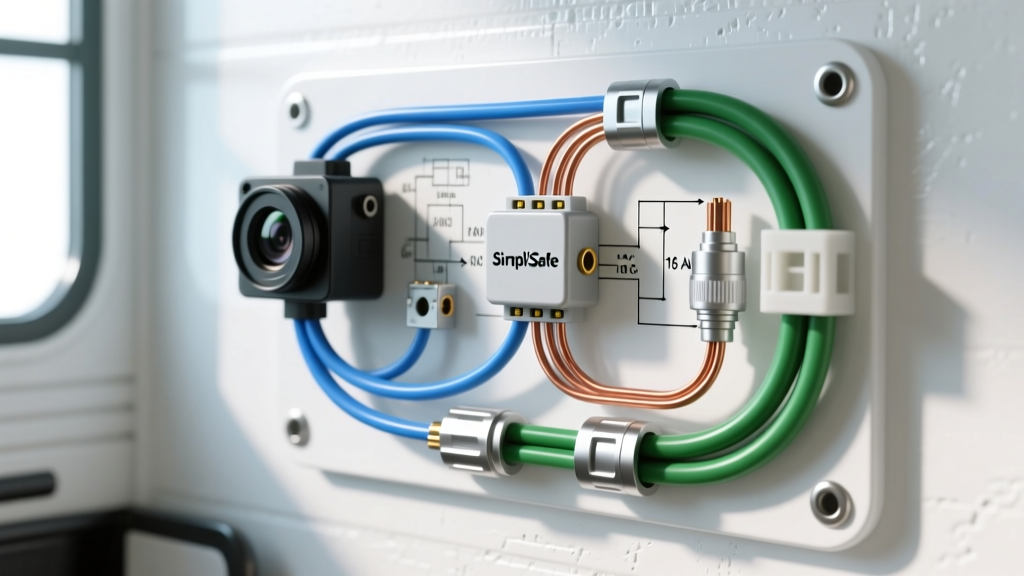
When planning a 12V DC simplisafe camera install for your RV, motorhome, or overland expedition rig, you are immediately confronted with a fundamental electrical mismatch. Home security ecosystems are designed for stable 120V AC wall power or low-current 5V DC USB adapters. In contrast, an automotive or RV house battery system operates on a nominal 12V DC architecture that fluctuates between 11.8V (deep discharge) and 14.4V (alternator or solar charge controller absorption phase). Successfully integrating a SimpliSafe Outdoor Camera into a vehicle's exterior perimeter requires more than just splicing wires; it demands a rigorous approach to DC-DC step-down conversion, voltage drop mitigation, and electromagnetic interference (EMI) shielding. This advanced technical guide details the exact wiring schematics, component specifications, and automotive-grade termination methods required to execute a reliable, weatherproof installation that survives the harsh vibration and thermal cycling of mobile environments.
The Power Architecture Challenge: 14.4V Down to 5V
The SimpliSafe Outdoor Camera requires a stable 5V DC input, typically drawing between 1.0A and 2.0A depending on IR night vision activation and Wi-Fi transmission loads. A common amateur mistake is using a linear voltage regulator (such as the L7805) to drop 12V to 5V. In a linear regulator, the excess voltage is dissipated as heat. Dropping 9V at 2A results in 18 watts of thermal dissipation, which will rapidly trigger the regulator's internal thermal shutdown or melt standard automotive wire insulation. The only viable solution for a mobile simplisafe camera install is a high-efficiency switching buck converter. An automotive-grade LM2596 or MP2315-based step-down module with a minimum 85% efficiency rating will reduce thermal output to less than 3 watts, ensuring reliable operation even when mounted inside enclosed RV bays or exterior junction boxes.
Component Sourcing and Electrical Specifications
To maintain the integrity of your vehicle's electrical system and prevent parasitic draws or fire hazards, all components must meet or exceed automotive and marine standards. Below is the required bill of materials for the primary power trunk and local step-down assembly.
| Component | Specification / Rating | Standard / Notes |
|---|---|---|
| Primary Trunk Wire | 16 AWG GXL (Red & Black) | SAE J1128 Cross-linked Polyethylene |
| Primary Fuse | 3A Mini-ATM Blade | Protects 16 AWG wire & buck converter |
| Buck Converter | 12V to 5V DC-DC, 3A Max Output | Conformal coated, IP67 potted |
| Exterior Connectors | Deutsch DT Series (2-Pin) | DT04-2P (Receptacle) / DT06-2S (Plug) |
| Terminal Lugs | 16 AWG to 1/4' Ring Terminal | Adhesive-lined heat shrink barrel |
| Secondary 5V Wire | 18 AWG SXL (Blue & White) | Local run to camera micro-USB pigtail |
Step-by-Step Wiring Diagram & Routing Integration
12V Source Tapping and Fuse Sizing
Never tap into a vehicle's CAN bus or sensitive ECU circuits for accessory power. For an RV simplisafe camera install, route your 16 AWG GXL primary power wire directly from the house battery bank's positive busbar or a dedicated auxiliary fuse block (such as a Blue Sea Systems ST Blade). According to Blue Sea Systems circuit protection guidelines, the fuse must be sized to protect the wire, not the load. Since 16 AWG wire in a single-conductor free-air configuration can handle up to 15A, a 3A Mini-ATM fuse is more than sufficient to protect the wiring while accommodating the 2A peak inrush current of the buck converter's input capacitors. Torque the 1/4-inch ring terminal to the busbar stud at exactly 8-10 ft-lbs to prevent micro-arcing and subsequent voltage drops.
Running the Trunk Line and Vibration Mitigation
Route the 16 AWG red (12V+) and black (12V-) wires through the vehicle's chassis or RV framing. When passing through steel or aluminum bulkheads, use grommets to prevent insulation chafing. Secure the wire loom every 12 inches using UV-resistant nylon cable ties or P-clamps with rubber cushions. In overland rigs subjected to high-frequency corrugation vibrations, unsupported wire spans will experience work-hardening and eventual copper strand fracture. Adhere to SAE J1128 standards for low-tension primary cable routing by ensuring a minimum bend radius of four times the wire's outer diameter.
Local Step-Down and Weatherproofing
The most critical engineering decision in this install is where to place the buck converter. Do not step the voltage down at the battery and run 5V DC to the exterior camera. Instead, run the 12V DC trunk line to a weatherproof junction box mounted within 2 feet of the camera. Inside this box, terminate the 12V lines into the buck converter's input, and use 18 AWG wire for the short 5V run to the camera's proprietary power pigtail. This methodology drastically reduces voltage drop and keeps the high-current 12V side protected over the long distance.
Voltage Drop Calculations for 5V DC Runs
Understanding voltage drop is paramount when dealing with 5V DC systems. A 5V camera typically requires a minimum of 4.75V to maintain its internal logic board and Wi-Fi radio. If you were to run 18 AWG wire (6.385 mΩ/ft) for a 30-foot distance (60 feet total round-trip loop) at a 2A draw, the calculation is as follows:
- Resistance (R): 60 ft × 0.006385 Ω/ft = 0.383 Ω
- Voltage Drop (V): 2A × 0.383 Ω = 0.766 V
- Delivered Voltage: 5.0V - 0.766V = 4.23V
At 4.23V, the camera will experience brownouts, Wi-Fi disconnects, or failure to boot. By stepping the voltage down locally at the camera housing, the 5V wire run is kept under 3 feet, resulting in a negligible voltage drop of 0.03V, ensuring the camera receives a pristine 4.97V. This is why the local step-down topology is mandatory for automotive and RV applications.
Deutsch DT Connector Termination Protocol
To ensure the exterior connections remain waterproof (IP68 rated), use Deutsch DT series connectors. When crimping the solid copper contacts, use a precision ratcheting crimper (such as the IWISS IWS-3220M) calibrated for 16-18 AWG. The wire barrel must be crimped to the copper strands, while the insulation barrel grips the GXL jacket. Insert the contacts into the DT06-2S plug housing until you hear an audible click. Critical Step: You must insert the secondary wedgelock (usually green or orange) into the front face of the connector. The wedgelock physically prevents the contacts from backing out under vibration. Failure to install the wedgelock is the number one cause of intermittent power loss in mobile camera installations.
Troubleshooting EMI, PWM Ripple, and Wi-Fi Attenuation
Switching buck converters operate using Pulse Width Modulation (PWM), typically at frequencies between 150 kHz and 1.5 MHz. Cheap, unshielded converters can emit harmonic electromagnetic interference (EMI) that bleeds into the 2.4 GHz Wi-Fi spectrum, effectively jamming the camera's ability to communicate with your RV's cellular router or mobile hotspot. Furthermore, the steel chassis of an RV or expedition truck acts as a Faraday cage, attenuating RF signals.
Symptom-Cause-Fix Decision Matrix
| Symptom | Probable Electrical Cause | Engineered Solution |
|---|---|---|
| Camera boots, but Wi-Fi fails to connect or drops constantly. | PWM ripple from buck converter radiating EMI; or Faraday cage attenuation. | Replace converter with an MP2315 module featuring an integrated shielded inductor. Mount external Wi-Fi antenna on the RV roof. |
| Camera reboots randomly when vehicle engine is running. | Alternator AC ripple exceeding the buck converter's input filtering. | Install a 4700µF electrolytic capacitor and a ferrite choke on the 12V input side of the buck converter. |
| IR Night vision fails to activate; video stutters. | Voltage sag below 4.5V due to undersized wire or high-resistance crimps. | Verify Deutsch crimps. Measure voltage at the camera pigtail under load (IR on). Upgrade to 16 AWG if drop exceeds 0.2V. |
| Buck converter is hot to the touch and shuts down. | Thermal throttling due to mounting in an unventilated, sun-exposed exterior box. | Apply thermal paste between the converter IC and the aluminum junction box housing to use the box as a passive heatsink. |
Final System Validation
Before sealing the junction boxes and mounting the camera, perform a load test. Turn on the camera, force the IR illuminators to activate (by covering the ambient light sensor), and measure the voltage at the camera's micro-USB termination using a digital multimeter. You should read between 4.85V and 5.05V. Next, monitor the current draw on the 12V side using an inline ammeter; it should read approximately 0.8A to 1.0A at 12V (accounting for the step-down conversion efficiency). By adhering to these stringent automotive wiring protocols, your simplisafe camera install will transition from a fragile home-security hack into a robust, expedition-grade perimeter monitoring system capable of withstanding the rigors of off-grid travel.
For further reference on automotive wire insulation standards, consult the SAE J1128 Low Tension Primary Cable documentation, and always verify specific power draw requirements against the official SimpliSafe Outdoor Camera technical specifications prior to finalizing your fuse and wire gauge selections.