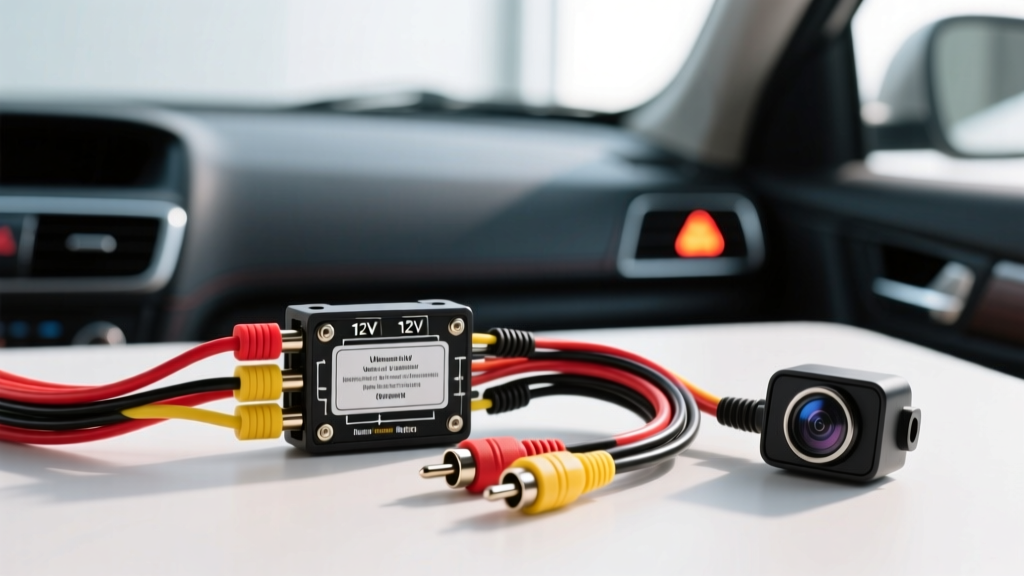
Understanding the Universal Rear View Camera Wiring Diagram
Installing an aftermarket backup camera requires more than simply splicing into a tail light. Modern automotive electrical systems utilize complex multiplexing and Pulse Width Modulation (PWM) that can easily destroy sensitive CMOS camera sensors or cause severe video interference. This comprehensive guide breaks down the universal rear view camera wiring diagram, providing the exact AWG specifications, pinout configurations, and routing protocols required for a flawless, factory-style integration.
Whether you are installing a license-plate-mounted camera or a tailgate handle replacement, understanding the relationship between the 12V power feed, the chassis ground, the shielded RCA video cable, and the head unit reverse trigger is critical. According to the Mobile Electronics Certification Program (MECP), over 60% of aftermarket camera failures stem from improper grounding or tapping into PWM-controlled lighting circuits without a relay bypass.
Core Wiring Specifications and Material Requirements
Before beginning the installation, ensure you have the correct materials. Using undersized wire or unshielded video cables will result in voltage drops and electromagnetic interference (EMI).
| Circuit Function | Wire Type & AWG | Standard Color Code | Connector / Termination | Max Current Draw |
|---|---|---|---|---|
| Camera 12V+ Power | 18 AWG GXL Stranded | Red | Heat Shrink Butt Splice | 250mA |
| Camera Chassis Ground | 18 AWG GXL Stranded | Black | 10mm Ring Terminal (Star Washer) | 250mA |
| Reverse Trigger (Source) | 24 AWG Signal Wire | White/Red Pigtail | Posi-Tap (PTV202) | 50mA |
| Head Unit Reverse Trigger | 24 AWG Signal Wire | Purple or Orange/White | Posi-Tap or Solder | 50mA |
| Video Signal Transmission | 75-Ohm Shielded Coaxial | Black (RCA) | Gold-Plated RCA Plugs | N/A (Analog Signal) |
Step 1: Powering the Camera (Avoiding the PWM Trap)
The most common mistake in executing a rear view camera wiring diagram is tapping the camera's red 12V power wire directly into the vehicle's reverse light bulb socket. While this works on older vehicles (pre-2010), modern vehicles from manufacturers like FCA (Jeep, Dodge, Ram), BMW, and Volkswagen use PWM to control tail light bulbs. PWM rapidly cycles the 12V power on and off to dim LEDs or regulate voltage. A CMOS camera sensor requires a steady, clean 12V DC source; feeding it PWM voltage will cause the screen to flicker, display rolling horizontal lines, or permanently fry the camera's internal voltage regulator.
The 12V Relay Bypass Method
To guarantee clean power, use a standard 4-pin Bosch-style automotive relay to isolate the camera from the vehicle's lighting module.
- Pin 86 (Coil +): Tap into the reverse light +12V wire using a Posi-Tap connector. This signals the relay to close.
- Pin 85 (Coil -): Ground to a nearby bare metal chassis point.
- Pin 30 (Common): Connect to a constant 12V battery source or a clean 12V accessory feed in the rear fuse box. Always install a 5A inline ATC fuse within 18 inches of the power source.
- Pin 87 (Normally Open): Connect this to the red 12V power wire of the backup camera.
This setup ensures that the camera receives a steady, uninterrupted 12V DC current from the battery whenever the vehicle is shifted into reverse, completely bypassing the noisy PWM lighting circuit.
Step 2: Establishing a Zero-Resistance Ground
Backup cameras draw very little current (typically 120mA to 200mA), making them highly susceptible to ground loop noise. A poor ground will manifest as a high-pitched alternator whine in the audio system or a herringbone pattern on the video display. Do not simply wrap the black ground wire around a rusted bolt.
Use a wire brush or sandpaper to remove paint and clear coat down to bare, shiny metal. Attach an 18 AWG ring terminal using a factory 10mm bolt, ensuring a star washer is placed between the ring terminal and the chassis to bite into the metal and prevent oxidation. Coat the terminal in dielectric grease after tightening to a torque spec of roughly 8-10 Nm to prevent future corrosion.
Step 3: Routing the RCA Video and Trigger Harness
The RCA cable provided with most aftermarket cameras includes a bonded red trigger wire (often called the "pigtail"). This wire is responsible for telling the aftermarket head unit to switch from the radio display to the camera input.
Signal Isolation and EMI Prevention
The SAE J1113 standard for Electromagnetic Compatibility outlines the necessity of separating low-voltage analog video signals from high-current power cables. When routing the RCA cable from the rear hatch to the dashboard:
- Route the RCA cable down the driver's side of the vehicle.
- Route all heavy power wires (amplifier power, 12V accessory feeds) down the passenger side.
- Never zip-tie the RCA video cable to a factory wiring harness that contains injector pulses, ignition coil wires, or CAN-bus data lines, as these generate severe electromagnetic fields that will bleed into the unamplified analog video signal.
Connecting the Trigger Pigtail
At the rear of the vehicle, connect the RCA's red pigtail wire to the same reverse light +12V circuit (or Pin 86 of your relay). At the front of the vehicle, connect the other end of the red pigtail to the head unit's reverse trigger wire. This wire is typically labeled "BACK", "REVERSE", or "P.CONT" on the head unit's wiring harness diagram.
Step 4: Head Unit Pinout Integration
Different head unit manufacturers use specific color codes for the reverse trigger input. Correctly identifying this wire ensures the monitor automatically switches inputs when the relay engages. Always verify with a digital multimeter (DMM) before making the final connection.
| Head Unit Brand | Reverse Trigger Wire Color | Pin Location (Standard Harness) | Expected Voltage (In Reverse) |
|---|---|---|---|
| Pioneer | Purple / White Stripe | 16-Pin Harness, Pin 12 | +12V DC |
| Alpine | Orange / White Stripe | 16-Pin Harness, Pin 14 | +12V DC |
| Kenwood / JVC | Purple / White Stripe | 16-Pin Harness, Pin 12 | +12V DC |
| Sony | Purple | 16-Pin Harness, Pin 12 | +12V DC |
For detailed vehicle-specific integration and harness adapters, resources like Crutchfield's Car A/V Installation Guides provide invaluable master sheets for matching factory CAN-bus reverse signals to aftermarket 12V trigger requirements.
Troubleshooting Common Video Signal Failures
Even when following a precise rear view camera wiring diagram, environmental factors and vehicle-specific quirks can cause issues. Use this diagnostic decision tree to resolve common installation anomalies.
Symptom: Rolling Horizontal Lines or 'Snow' on Display
- Cause: Alternator whine or EMI bleeding into the RCA shield.
- Fix: Check the camera ground. If the ground is shared with a tail light bulb socket, move it to a dedicated, sanded chassis point. Ensure the RCA cable is not routed parallel to the vehicle's main power harness.
Symptom: Camera Powers On, But Screen Remains Black or Blue
- Cause: Head unit reverse trigger is not receiving +12V, or the RCA is plugged into the "Video OUT" or "AUX IN" port instead of the dedicated "CAM IN" port.
- Fix: Use a DMM to verify +12V at the head unit's purple/white trigger wire when the car is in reverse. Verify the RCA is plugged into the port specifically labeled with a camera icon or "CAM".
Symptom: Camera Flickers or Shuts Off Randomly While in Reverse
- Cause: Voltage drop due to PWM tail light circuits, or an inline fuse that is too small and heating up.
- Fix: Install the 4-pin relay bypass described in Step 1. If a relay is already present, check for loose crimps on the Pin 87 output or upgrade the butt connectors to adhesive-lined marine-grade heat shrink.
Symptom: Guidelines Are Missing or Incorrectly Oriented
- Cause: The camera's internal loop-back wire (usually a small green or white wire near the camera pigtail) has been cut or left unconnected, or the camera is mounted upside down.
-
Final Testing and Calibration
Once all connections are soldered, heat-shrunk, and secured with nylon loom and Tesa tape to prevent rattling, perform a final bench test before reassembling the trunk trim. Engage the parking brake, shift into reverse, and verify that the head unit mutes the audio, switches to the camera input, and displays a clean, static-free image. Adjust the camera's vertical pitch using the integrated star-washer bracket to ensure the horizon line sits roughly one-third of the way up the display, maximizing the visibility of immediate rear blind spots.