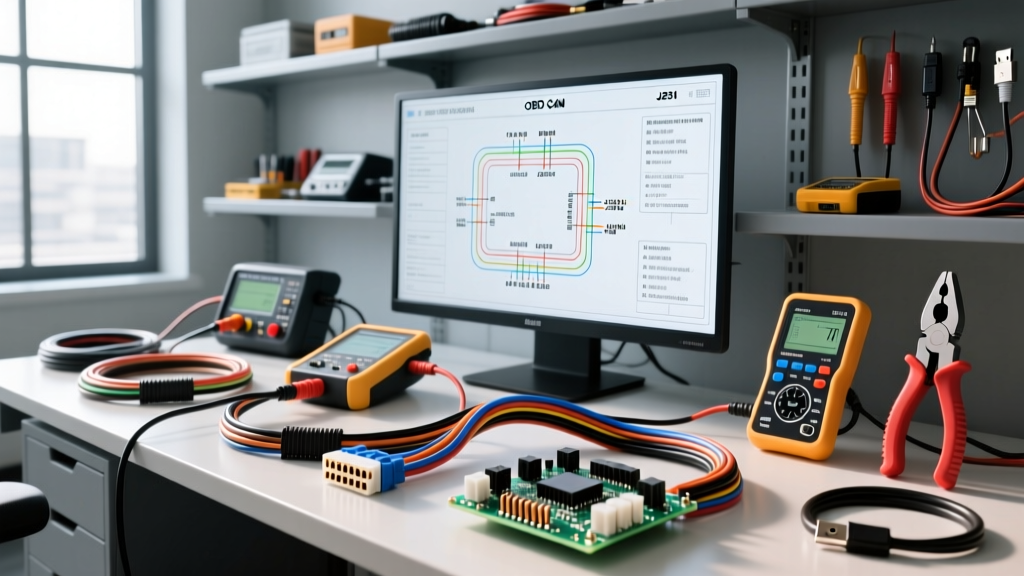
The Economics and Engineering of Module Reprogramming
As vehicle architectures shift toward centralized gateways and complex software dependencies, the ability to successfully flash auto electric control modules (ECM, TCM, BCM) has transitioned from a dealer-exclusive luxury to an independent shop necessity. Whether you are updating a calibration file to resolve a transmission shudder or replacing a shorted Body Control Module, reprogramming requires a precise intersection of software access, J2534 pass-thru hardware, and flawless electrical stability. This guide provides a comprehensive cost and tool requirements analysis for building a professional-grade module flashing workstation, complete with wiring specifications and CAN bus diagnostics.
Core Architecture: J2534 Pass-Thru and Laptop Requirements
To flash auto electric modules outside of a franchised dealership, technicians must rely on the SAE J2534-1 standard. This API allows aftermarket diagnostic laptops to communicate with OEM servers via a pass-thru device. Selecting the right hardware is the first major cost variable.
J2534 Pass-Thru Devices
Entry-level devices like the Opus (formerly Drew Technologies) MongoosePro support specific OEM protocols (e.g., Toyota Techstream or Honda HDS) but lack universal J2534 compliance. For a multi-marque independent shop, a universal device like the CarDAQ-Plus 3 or the Tactrix Openport 2.0 is mandatory. These devices handle high-speed CAN (ISO 15765-4), J1850 PWM/VPW, and K-Line protocols seamlessly.
Workstation Computing Requirements
OEM flash servers are notoriously unstable. Your laptop must meet strict criteria to prevent mid-flash timeouts:
- OS: Windows 10 or 11 Pro (64-bit). Home editions often lack necessary network group policy controls.
- RAM: 16GB minimum. OEM diagnostic suites (like GM GDS2 or Ford FDRS) run heavy virtual machines in the background.
- Connectivity: Native USB-A or USB-C ports. Never use USB hubs or docking stations during a flash, as a micro-second bus reset will corrupt the module.
- Network: Hardwired Ethernet (Cat6) is highly recommended over Wi-Fi to eliminate packet loss during the 40MB to 200MB file downloads.
Power Supply Topology: The Hidden Cost of Bricked Modules
The most catastrophic failure mode when attempting to flash auto electric modules is voltage drop. A standard 10A or 20A battery charger utilizes a switching topology that introduces AC ripple voltage into the DC circuit. If the ripple exceeds 100mV, or if the system voltage dips below 12.2V during the flash sequence, the ECM bootloader will abort, often resulting in a "bricked" module that requires expensive bench recovery or replacement.
Clean Power Supply Specifications
You must invest in a dedicated flash power supply (e.g., Midtronics GR8 or Schumacher INC100). These units provide pure, filtered DC current with virtually zero ripple, maintaining a steady 13.5V to 14.2V output even under the 40A to 80A transient loads drawn by cooling fans and fuel pumps during the key-on-engine-off (KOEO) flash state.
Wiring the Power Supply: Do not rely on the thin gauge clamps provided with consumer chargers. Build custom jumper cables using 8 AWG oxygen-free copper (OFC) wire with heavy-duty copper lugs. Connect these directly to the vehicle's under-hood remote battery terminals or directly to the battery posts. The resistance of your jumper cables must measure less than 0.05 ohms to prevent voltage drop between the supply and the Data Link Connector (DLC).
Cost Analysis & ROI Breakdown
Building a reliable flash auto electric workstation requires capital, but the return on investment is rapid when factoring in dealer sublet fees and towing costs for immobilized vehicles.
| Equipment Tier | Tool / Component | Estimated Cost | Target Audience |
|---|---|---|---|
| Entry-Level | MongoosePro (Single OEM) + Basic 20A Charger | $600 - $900 | Specialists (e.g., Toyota-only shops) |
| Professional | CarDAQ-Plus 3 + Clean Power Supply (100A) + NASTF Key | $3,500 - $4,800 | Multi-marque Independent Shops |
| Dealer/Elite | OEM MDI2 / VCI + Midtronics PRO-2500 + Server Rack | $8,000+ | High-Volume Diagnostics & Fleet |
Note: Software subscriptions (e.g., GM ACDelco TDS, Ford Motorcraft) are recurring costs typically ranging from $40 for a 72-hour pass to $300+ annually per OEM.
OBD-II DLC Pinouts and CAN Bus Wiring Specifications
A successful flash relies entirely on the integrity of the CAN bus network between the DLC and the gateway module. According to the National Automotive Service Task Force (NASTF), verifying the physical layer of the OBD-II port is a mandatory pre-flash checklist item.
Standard ISO 15765-4 CAN Pinout
| DLC Pin | Function | Typical Wire Color (Varies by OEM) | AWG / Spec |
|---|---|---|---|
| Pin 6 | CAN High (Bus +) | White, Dark Green/White, or Tan | 20 AWG Twisted Pair |
| Pin 14 | CAN Low (Bus -) | Blue, Dark Blue/White, or Yellow | 20 AWG Twisted Pair |
| Pin 4 | Chassis Ground | Black | 16 AWG |
| Pin 5 | Signal Ground | Black/White or Black/Pink | 18 AWG |
| Pin 16 | Battery Positive (Unswitched) | Red or Orange | 12 AWG (Fused) |
CAN Bus Termination Verification
Before initiating any flash sequence, use a digital multimeter (DMM) to measure the resistance between Pin 6 and Pin 14 with the battery disconnected. You must read exactly 60 ohms (the parallel equivalent of two 120-ohm termination resistors located at the ends of the CAN backbone). If you read 120 ohms, one module is offline or a resistor is blown. If you read near 0 ohms, the CAN High and CAN Low wires are shorted together. Attempting to flash auto electric modules on a compromised CAN bus will result in packet loss and partial module corruption.
Real-World Failure Modes and Troubleshooting
Even with premium tools, technicians encounter flash failures. Here is how to diagnose the electrical root causes:
1. The "Voltage Drop" Brick
Symptom: The flash progress bar freezes at 85%, followed by a "Communication Lost" error. The ECM is now unresponsive.
Cause: The vehicle's cooling fans cycled on during the flash, drawing 30A and pulling the DLC Pin 16 voltage below 12.0V because the power supply was undersized or connected with high-resistance 14 AWG jumper wires.
Fix: Always use 8 AWG jumpers directly to the battery. Disable HVAC and cooling fan relays if the OEM service manual permits prior to flashing.
2. Gateway Security Lockouts (Post-2018 Vehicles)
Symptom: The J2534 device connects, reads the VIN, but the flash file fails to write, citing "Security Access Denied."
Cause: Modern vehicles utilize an Automotive Ethernet or secure CAN-FD gateway that blocks unauthorized OBD-II DLC writes.
Fix: You must acquire an OEM security gateway bypass cable (e.g., the 12+8 adapter for FCA/Chrysler vehicles, which plugs directly into the RF hub) or utilize an authenticated NASTF Secure Data Release Model (SDRM) key to unlock the flash authorization token.
3. USB Bus Reset Timeouts
Symptom: The pass-thru device LED turns red mid-flash, and Windows Device Manager shows the J2534 device disconnecting and reconnecting.
Cause: The laptop's USB port is entering a power-saving sleep state, or a USB hub is dropping the 5V logic rail.
Fix: Navigate to Windows Device Manager > Universal Serial Bus controllers > USB Root Hub > Power Management, and uncheck "Allow the computer to turn off this device to save power." Always connect the J2534 cable directly to the laptop motherboard ports.
Conclusion: Is the Investment Justified?
Setting up a bay to flash auto electric modules requires a meticulous approach to both software licensing and electrical hardware. While the initial outlay for a universal J2534 device, a pure-DC power supply, and OEM software subscriptions can exceed $4,000, the ability to retain diagnostic revenue, program replacement modules in-house, and perform critical TSB updates makes it an indispensable asset for the modern automotive electrical technician. By strictly adhering to CAN bus pinout verifications and heavy-gauge power supply wiring, you eliminate the primary variables that lead to catastrophic module failure.